Configure Single Sign-on
This screen allows you to integrate Single Sign-on (SSO) with your Calibo Accelerate tenant. SSO enables users to log in securely using existing organizational credentials, reducing the need to manage multiple usernames and passwords.
Available SSO Options
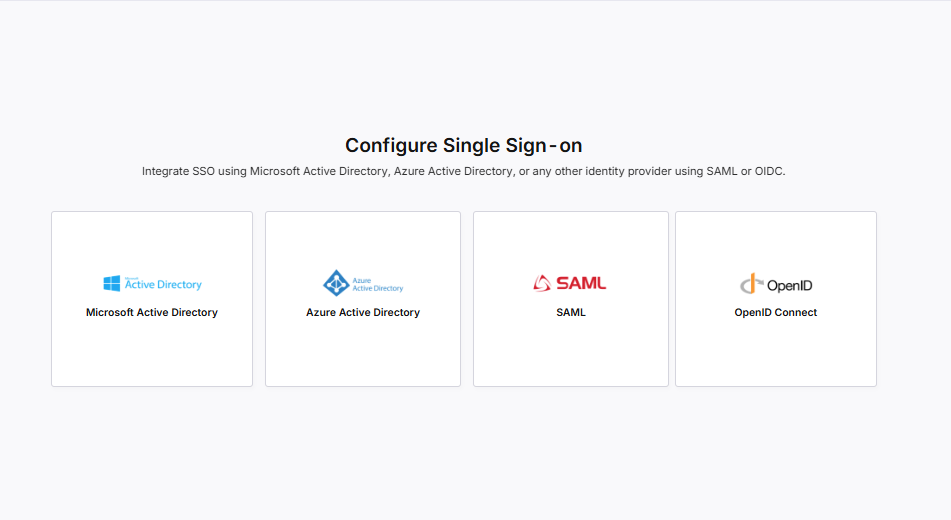
-
Microsoft Active Directory (AD):
Select this option to integrate with your on-premises Microsoft Active Directory.
Useful if your organization primarily uses AD for identity and access management within internal networks.
-
Choose this if your organization uses Microsoft’s cloud-based identity service.
Ideal for managing user access across cloud applications, hybrid environments, and Microsoft 365 services.
-
SAML (Security Assertion Markup Language):
Standard protocol for authentication and authorization.
Select this option if your organization uses a third-party identity provider (for example, Okta, Ping Identity, ADFS) that supports SAML 2.0.
-
Protocol built on OAuth 2.0 for secure authentication.
Choose this option if you want to integrate with identity providers such as Auth0, Google Identity Platform, or Keycloak.
When to Use Each Option
-
Use Microsoft AD if your infrastructure is primarily on-premises.
-
Use Microsoft Entra ID if your organization is already on Microsoft’s cloud ecosystem.
-
Use SAML for other enterprise identity providers that support SAML.
-
Use OIDC for modern cloud-native identity providers.
Click Previous to return to the previous screen in the F24H Wizard.
Click Next to continue to the configuration details for the selected SSO option.
| What's next?Configure SSO with Microsoft Active Directory |
 Recommended Topics